
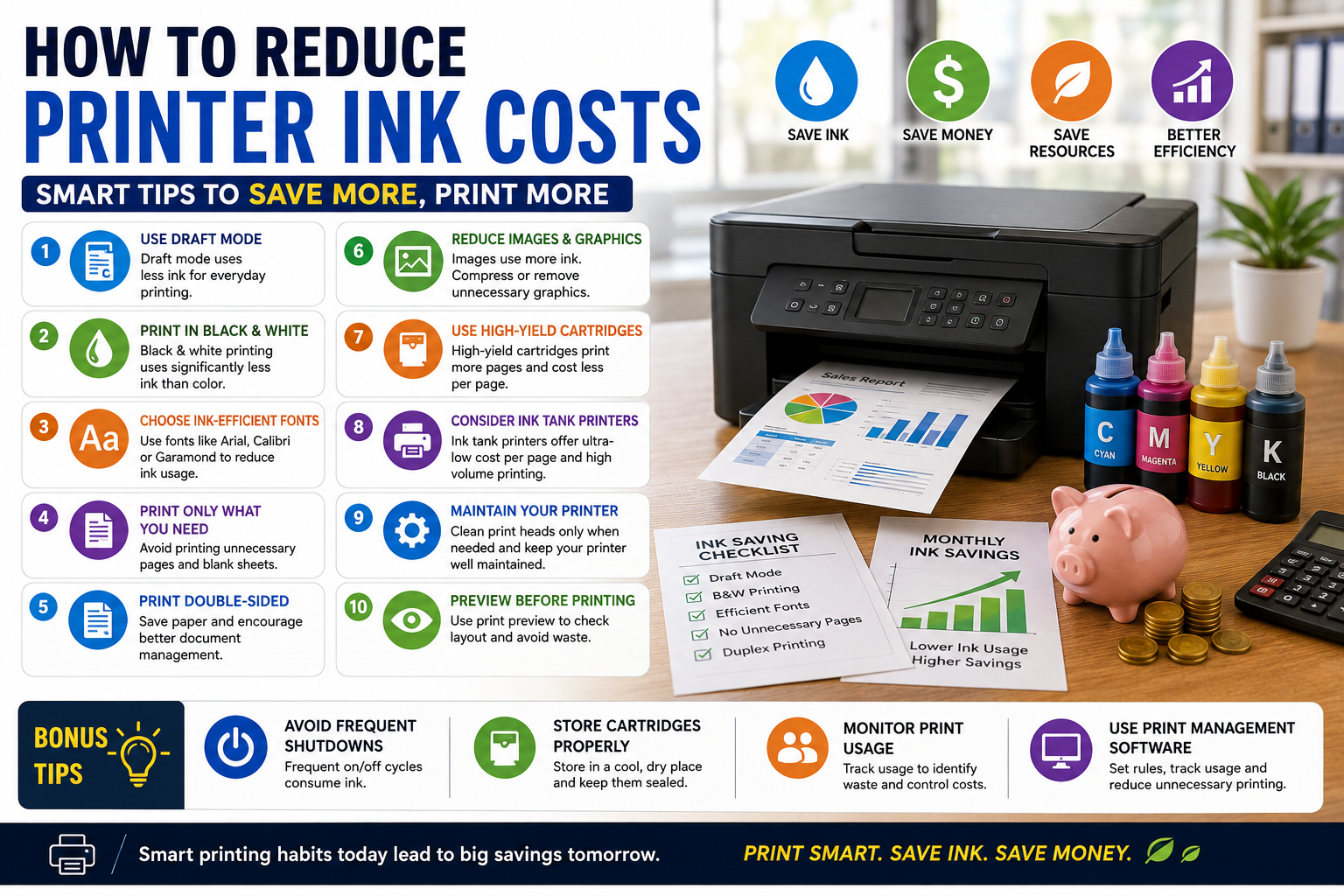
How to Reduce Printer Ink Costs: Practical Tips for Home and Business Users
Introduction
Printer ink is one of the most significant ongoing expenses associated with printing. Whether you're a student, home user, small business owner, or large organization, reducing ink consumption can lead to substantial cost savings over time.
Many people focus on the purchase price of a printer but overlook the long-term cost of ink cartridges. In some cases, the lifetime cost of ink can exceed the original price of the printer itself.
Fortunately, there are several proven ways to reduce printer ink costs without sacrificing print quality. This guide explores practical strategies that can help you print more efficiently while keeping expenses under control.
Why Printer Ink Costs Add Up
Ink costs increase due to:
-
Frequent printing
-
Unnecessary color usage
-
High-resolution print settings
-
Inefficient fonts
-
Poor printer maintenance
-
Cartridge replacement frequency
Understanding these factors is the first step toward reducing printing expenses.
1. Use Draft Mode for Everyday Printing
Most printers offer a "Draft" or "Economy" mode that uses significantly less ink than standard printing.
Best Used For:
-
Internal documents
-
Notes and drafts
-
School assignments
-
Reference materials
Benefits
✔ Lower ink consumption
✔ Faster printing speed
✔ Reduced operating costs
For documents that don't require professional-quality output, draft mode can save a surprising amount of ink over time.
2. Print Only What You Need
Before clicking the print button, review the document carefully.
Common Ways to Reduce Waste
-
Remove unnecessary pages
-
Print selected pages only
-
Eliminate blank pages
-
Avoid duplicate prints
Many users unknowingly print entire documents when only a few pages are needed.
3. Print in Black and White Whenever Possible
Color printing consumes multiple cartridges and significantly increases printing costs.
Use Black-and-White Printing For:
-
Invoices
-
Contracts
-
Reports
-
Emails
-
Internal documents
Reserve color printing for marketing materials, presentations, and graphics where color is essential.
4. Choose Eco-Friendly Fonts
Some fonts require more ink than others.
Ink-Efficient Fonts
-
Arial
-
Calibri
-
Century Gothic
-
Garamond
-
Times New Roman
Studies have shown that using ink-saving fonts can reduce ink usage without affecting readability.
5. Print Double-Sided Documents
While duplex printing primarily saves paper, it can also reduce overall printing costs by encouraging more efficient document management.
Benefits
-
Lower paper usage
-
Reduced storage requirements
-
More professional appearance
-
Environmentally friendly
Most modern printers support automatic duplex printing.
6. Keep Your Printer Maintained
Poor maintenance often leads to unnecessary ink consumption.
Maintenance Tips
-
Run cleaning cycles only when necessary
-
Keep print heads clean
-
Update printer firmware
-
Use the printer regularly
Excessive cleaning cycles can consume large amounts of ink, so avoid running them unnecessarily.
7. Avoid Frequent Printer Shutdowns
Many inkjet printers perform automatic maintenance cycles every time they are turned on.
These cycles consume ink even when no printing occurs.
Recommendation
If you use your printer daily, leave it in standby mode rather than turning it off completely after every use.
8. Use High-Yield Ink Cartridges
High-yield or XL cartridges typically offer a lower cost per page than standard cartridges.
Advantages
✔ More pages per cartridge
✔ Lower replacement frequency
✔ Better long-term value
✔ Reduced downtime
Although the initial purchase price is higher, the overall printing cost is usually lower.
9. Consider Ink Tank Printers
Ink tank printers have become increasingly popular because of their exceptionally low printing costs.
Benefits of Ink Tank Systems
-
Lower cost per page
-
Refillable ink tanks
-
High-volume printing capability
-
Reduced cartridge waste
These printers are ideal for businesses, schools, and households with frequent printing needs.
10. Preview Documents Before Printing
Print preview helps identify:
-
Formatting errors
-
Blank pages
-
Unnecessary graphics
-
Incorrect page layouts
A quick review before printing can prevent wasted ink and paper.
11. Reduce Image and Graphic Printing
Images and graphics consume significantly more ink than text.
Ways to Save Ink
-
Compress images
-
Print grayscale versions
-
Remove unnecessary graphics
-
Use lower-resolution images when appropriate
This is particularly important for businesses that regularly print reports and presentations.
12. Store Ink Cartridges Properly
Improper storage can cause cartridges to dry out prematurely.
Best Practices
-
Store in a cool, dry location
-
Keep cartridges sealed until use
-
Avoid direct sunlight
-
Follow manufacturer guidelines
Proper storage helps maximize cartridge lifespan.
13. Monitor Printing Habits
Businesses can reduce costs significantly by tracking printer usage.
What to Monitor
-
Monthly print volume
-
Color vs. monochrome prints
-
Cartridge replacement frequency
-
Departmental usage
Monitoring helps identify areas where printing practices can be improved.
14. Use Print Management Software
Modern print management tools allow organizations to:
-
Set printing quotas
-
Restrict color printing
-
Track usage by user
-
Generate cost reports
These solutions are particularly useful for offices with multiple employees and printers.
15. Invest in the Right Printer
Choosing the right printer is one of the most effective ways to reduce ink expenses.
Consider:
-
Monthly print volume
-
Ink cost per page
-
Cartridge availability
-
Maintenance requirements
-
Ink tank vs. cartridge systems
A slightly more expensive printer may save substantial money over its lifetime through lower operating costs.
Common Mistakes That Increase Ink Costs
Avoid these costly habits:
❌ Printing emails unnecessarily
❌ Using high-quality mode for routine documents
❌ Ignoring print previews
❌ Frequent cleaning cycles
❌ Printing everything in color
❌ Buying printers without considering cartridge costs
Conclusion
Reducing printer ink costs doesn't require sacrificing print quality. By using draft mode, printing only necessary pages, choosing ink-efficient fonts, maintaining your printer properly, and investing in cost-effective printing technology, you can significantly lower your printing expenses.
Whether you're printing at home or managing an office, implementing these simple strategies can save money, reduce waste, and improve overall printing efficiency. Small changes in printing habits can lead to substantial savings over the life of your printer.
0 Comments
Post Comment