
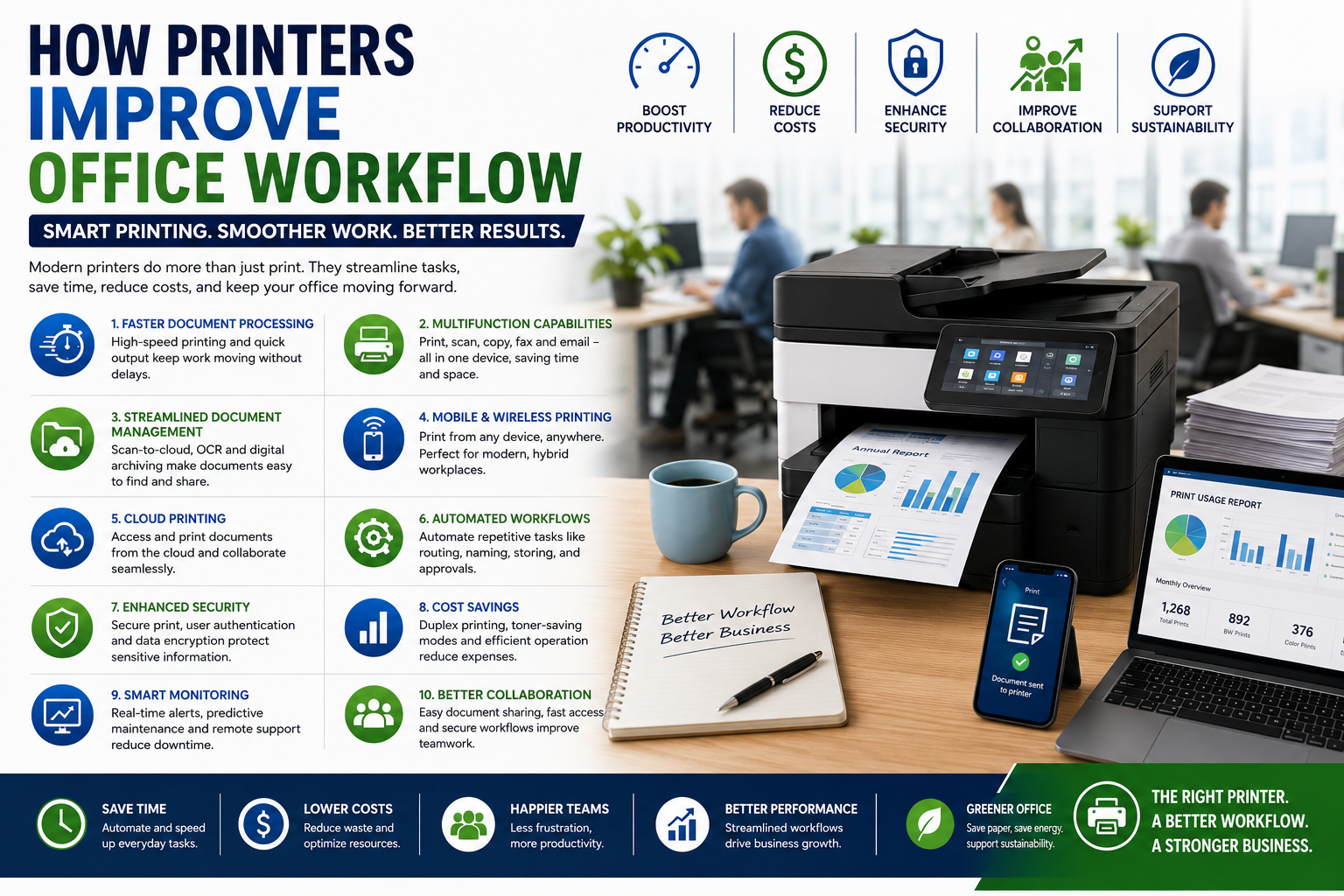
How Printers Improve Office Workflow: Boosting Productivity and Efficiency
Introduction
In today's fast-paced business environment, efficiency and productivity are critical for success. While many organizations focus on digital tools and software, printers remain an essential part of daily office operations. Modern printers have evolved far beyond simple document printing and now serve as multifunctional business solutions that streamline workflows, improve collaboration, and reduce administrative burdens.
Whether you're running a small business, corporate office, educational institution, or government organization, the right printer can significantly enhance workplace efficiency. This article explores how modern printers improve office workflow and contribute to a more productive work environment.
Why Office Workflow Matters
Office workflow refers to the sequence of tasks, processes, and activities employees perform to complete their work.
An efficient workflow helps businesses:
-
Save time
-
Reduce operational costs
-
Improve employee productivity
-
Enhance customer service
-
Minimize errors
-
Increase profitability
Modern printers play a vital role in achieving these goals.
1. Faster Document Processing
Today's business printers are designed for speed and performance.
Benefits
-
High pages-per-minute (PPM) output
-
Fast first-page printing
-
High-capacity paper trays
-
Reduced waiting times
Employees can quickly print invoices, reports, contracts, and presentations without disrupting their workflow.
Impact on Productivity
Less time spent waiting for documents means more time focused on important business tasks.
2. Multifunction Capabilities Reduce Equipment Needs
Modern multifunction printers (MFPs) combine several office functions into one device.
Common Functions
-
Printing
-
Scanning
-
Copying
-
Faxing
-
Email integration
Instead of managing multiple machines, businesses can centralize document handling through a single device.
Advantages
✔ Reduced office clutter
✔ Lower maintenance costs
✔ Simplified operations
✔ Improved space utilization
3. Streamlined Document Management
Modern printers support advanced document management features.
Examples
-
Scan-to-email
-
Scan-to-cloud
-
Scan-to-folder
-
OCR (Optical Character Recognition)
-
Digital archiving
These features allow businesses to convert paper documents into searchable digital files quickly.
Workflow Benefits
-
Faster document retrieval
-
Reduced paperwork
-
Improved record keeping
-
Better compliance management
4. Mobile and Wireless Printing
Today's workforce is increasingly mobile and flexible.
Modern printers allow employees to print directly from:
-
Smartphones
-
Tablets
-
Laptops
-
Cloud storage platforms
Benefits
-
Increased convenience
-
Faster document access
-
Support for remote workers
-
Improved collaboration
Employees no longer need to transfer files manually to office computers before printing.
5. Cloud Printing Enhances Collaboration
Cloud printing has become an essential feature in modern workplaces.
How It Helps
Employees can:
-
Print from any location
-
Access shared documents
-
Collaborate across offices
-
Support hybrid work models
Cloud-enabled printers help businesses maintain productivity regardless of employee location.
6. Automated Workflows Save Time
Many business printers now include workflow automation tools.
Automated Tasks
-
Document routing
-
File naming
-
Digital storage
-
Approval workflows
-
Email distribution
Automation reduces repetitive manual tasks and allows employees to focus on higher-value work.
Benefits
✔ Faster processing
✔ Reduced human errors
✔ Improved consistency
✔ Increased productivity
7. Improved Security for Sensitive Documents
Document security is a growing concern for businesses.
Modern printers include advanced security features such as:
-
User authentication
-
Secure print release
-
Data encryption
-
PIN-protected printing
-
Audit trails
Business Advantages
-
Protection of confidential information
-
Reduced risk of data breaches
-
Regulatory compliance support
-
Improved document control
8. Reduced Downtime Through Smart Monitoring
Smart printers can monitor their own performance and alert administrators when maintenance is required.
Features
-
Predictive maintenance
-
Automatic supply alerts
-
Remote diagnostics
-
Real-time status monitoring
Results
-
Fewer disruptions
-
Reduced repair costs
-
Improved printer availability
-
Better workflow continuity
9. Cost Savings Through Efficient Printing
Efficient office workflows help reduce operational expenses.
Modern Printers Offer
-
Automatic duplex printing
-
Toner-saving modes
-
Energy-efficient operation
-
Print usage tracking
Financial Benefits
-
Lower paper consumption
-
Reduced toner costs
-
Lower electricity bills
-
Better resource management
Cost savings contribute directly to overall business efficiency.
10. Better Support for Hybrid Work Environments
Hybrid work has become standard for many businesses.
Modern printers support:
-
Remote printing
-
Cloud document access
-
Mobile workflows
-
Virtual collaboration
This flexibility helps employees remain productive whether they work from the office, home, or remote locations.
11. Centralized Print Management
Businesses with multiple printers can benefit from centralized management systems.
Capabilities
-
Monitor printer usage
-
Track costs
-
Manage user access
-
Generate reports
-
Control print policies
Benefits
-
Better visibility
-
Improved accountability
-
Lower operating costs
-
Optimized printer utilization
12. Faster Customer Service
Many industries rely heavily on document processing.
Examples include:
-
Healthcare
-
Banking
-
Education
-
Legal services
-
Real estate
Fast and reliable printing helps businesses:
-
Process forms quickly
-
Deliver documents faster
-
Improve response times
-
Enhance customer satisfaction
Efficient workflows often translate directly into better customer experiences.
Choosing the Right Office Printer
To maximize workflow efficiency, consider the following:
Print Volume
Select a printer that can handle your monthly workload.
Connectivity
Look for:
-
Wi-Fi
-
Ethernet
-
Cloud integration
-
Mobile printing support
Multifunction Features
Scanning and copying capabilities can significantly improve office efficiency.
Security
Choose printers with modern security features to protect sensitive information.
Operating Costs
Evaluate long-term expenses such as toner, maintenance, and energy consumption.
Future of Office Printing
Printer technology continues to evolve with innovations such as:
-
Artificial Intelligence (AI)
-
Cloud-based workflow automation
-
IoT-connected devices
-
Advanced cybersecurity
-
Sustainable printing technologies
These developments will further enhance productivity and streamline office operations in the coming years.
Conclusion
Modern printers are much more than document output devices. They serve as essential productivity tools that streamline workflows, automate routine tasks, improve collaboration, and reduce operational costs.
From mobile printing and cloud connectivity to advanced security and workflow automation, today's printers help businesses work smarter and more efficiently. Investing in the right office printer can lead to significant improvements in productivity, document management, and overall business performance.
For organizations looking to optimize their operations, modern printing solutions remain a valuable and often overlooked component of workplace efficiency.
0 Comments
Post Comment